
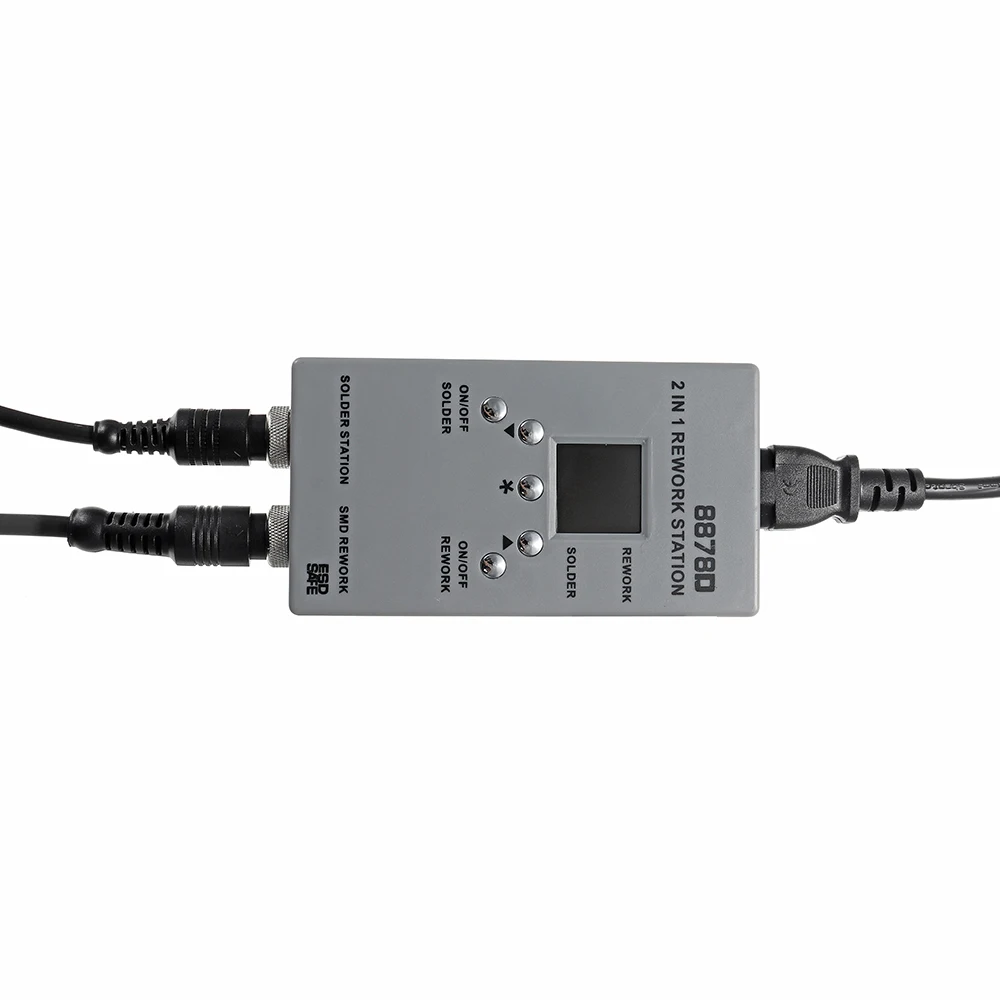

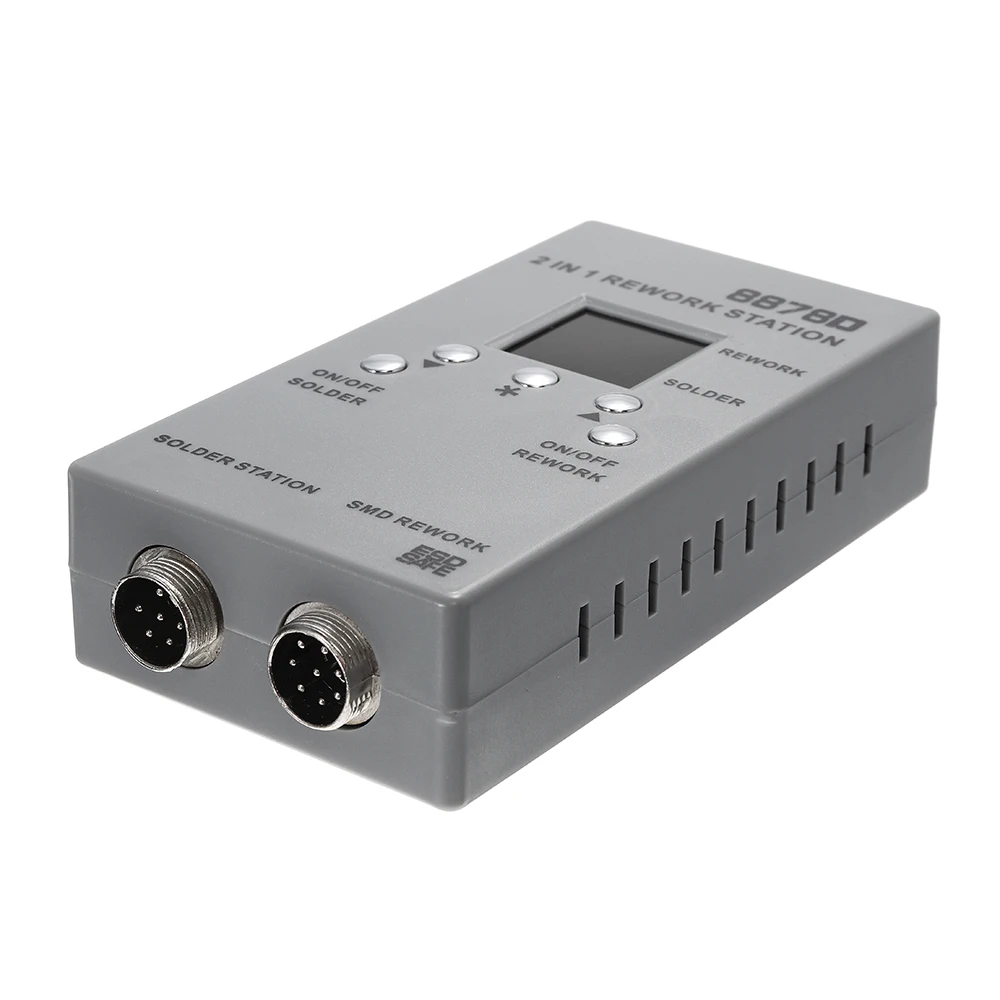
8878D 2 In 1 SMD Rework Soldering Station Hot Air Guns Welding Solder Iron Repair Tool | Инструменты
Сохраните в закладки:

История цены
*История изменения цены! Указанная стоимость возможно, уже изменилось. Проверить текущую цену - >
| Месяц | Минимальная цена | Макс. стоимость | Цена |
|---|---|---|---|
| Mar-20-2026 | 5138.45 руб. | 5395.69 руб. | 5266.5 руб. |
| Feb-20-2026 | 5095.23 руб. | 5350.89 руб. | 5222.5 руб. |
| Jan-20-2026 | 4275.78 руб. | 4489.47 руб. | 4382 руб. |
| Dec-20-2025 | 5009.91 руб. | 5259.57 руб. | 5134 руб. |
| Nov-20-2025 | 4361.71 руб. | 4579.73 руб. | 4470 руб. |
| Oct-20-2025 | 4923.56 руб. | 5169.86 руб. | 5046 руб. |
| Sep-20-2025 | 4879.59 руб. | 5123.21 руб. | 5001 руб. |
| Aug-20-2025 | 4836.98 руб. | 5078.38 руб. | 4957 руб. |
| Jul-20-2025 | 4793.20 руб. | 5033.61 руб. | 4913 руб. |
Новые товары

Аппарат для тестирования ЖК-экрана WOZNIAK DL S300 6 в 1 iPhone Samsung Huawei Oppo Vivo Xiaomi (все одной
73920
Портативный цифровой автомобильный воздушный компрессор Электронный насос для
3383.52
Автоматическая вязальная машина для арматуры 12 В беспроводная перезаряжаемая
YOUKILOOM E-108 ntelligent Полировочная ручка винт сверление лица ID решетка резка

JC C1 Умный ремонтный блок OLED-экрана для зарядки аккумулятора, активации платы и линии питания для iPhone 8P 8G 7P 7G 6SP 6S 6G 6P.
Паяльная станция для Hakko 936 Saike 909D 852D + 952D 900M-T наконечник пайки из чистой меди
257.48

Аппарат для вакуумного ламинирования Оса 15 дюймов TBK-308A восстановление
78275.56

Очиститель воздуха с системой центрального отопления, контроллером, фильтром, вентилятором, свежей системой, сенсорами температуры и влажности, катушкой и теплообменником.
31497.02
Характеристики
8878D 2 In 1 SMD Rework Soldering Station Hot Air Guns Welding Solder Iron Repair Tool | Инструменты
Описание товара

{infomodule}

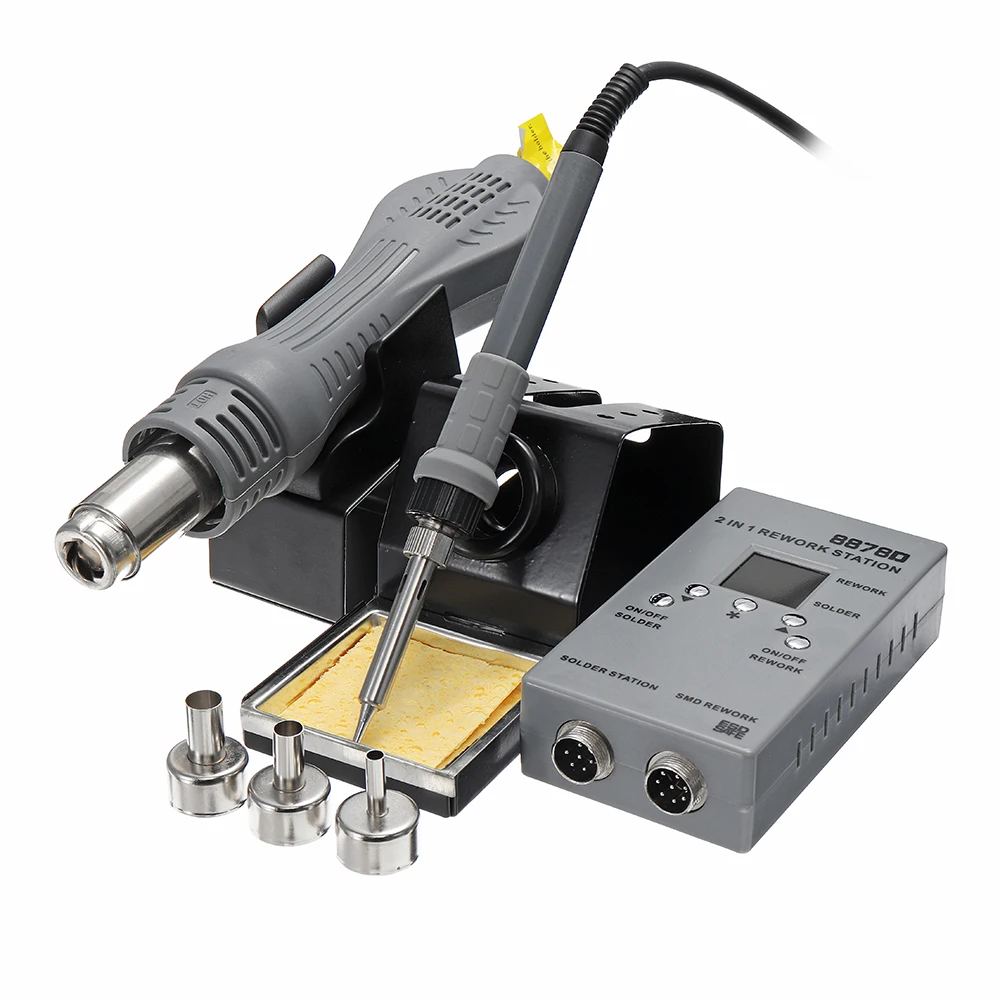
Model 8878D series “portable microcomputer hot air gun”, it is our company new design type.
Which are applicable to repair SMT electronic products, portable soldering tool.
This product uses the long life far infrared heating .element and the special temperature components.
And the precision microcomputer control of hot runner technology, make the gun temperature control curve fully conform to the requirements of the SMT production process of soldering.
The soldering iron adopts a long life 1321 white core, and the precise PID temperature control technology makes the temperature error of the soldering iron small, and the work is stable and reliable.
At the same time, the functions of air gun manual and automatic, soldering iron sleep and temperature compensation are increased.
Make the products with energy saving, small size, convenient, long-life, security and so on. Specification :
Air gun Soldering iron Operating frequency 50-60Hz 50-60Hz Operating voltage AC110V±10%/AC220V±10% AC110V±10%/AC220V±10% Adjustable temperature 100-480℃ 200-480℃ Adjustable pressure 1-10 Storage humidity 35%-45% 35%-45% Manual/automatic function Yes No Compensation temperature -99℃ to 99℃ -99℃ to 99℃ Sleeping time 0-99minutes Rated power 700W 200W Machine size(mm) 128*70*31 Net weight 1.2KG
Instructions :
1. When the power is connected, the buzzer will ring, indicating that the power is initialized.
2. Turn on the air gun, shor t press the air gun switch, the air gun is turned on.
3. Turn on the soldering iron, shor t press the soldering iron switch, the soldering iron is turned on.
4. Set the temperature of the air gun, shor t press the "*" button until the number of the air gun display screen is the first time to flash. Press the "▲" or "▼" button to set the temperature needed for the air gun.
5. Set the air volume of the air gun, shor t press the "* " button until the number of the air gun display screen is second time to flash. When the air gun display screen displays "F" and air volume number, press the "▲" or "▼" button to set the air volume needed for the air gun.
6. Set the air gun manual / automatic function, shor t press the "* " button until the number of the air gun display screen is third time to flash. When the display screen displays "A (automatic)" or "H (manual)", press the "▲" or "▼" button to choose the air gun manual / automatic function; When it is in automatic state, the air gun will automatically cool down on the bracket, and will stop working when the temperature is less than 100 ℃. When it is in manual state, the air gun will not cool down on the bracket, and will still work normally.
7. Set the air gun compensation temperature, long press the "* " button, then the air gun display screen and the soldering iron display screen will display the respective compensation temperature numbers, then shor t press the "* " button until the air gun display screen numbers is flash, press the "▲" or "▼" button to set the compensation temperature needed for the air gun.
8. Turn off the air gun, long press the air gun switch, the air gun is turned off.
9. Set the temperature of the soldering iron, shor t press the "* " button until the number of the soldering iron display screen is the first time to flash. Press the "▲" or "▼" button to set the temperature needed for the soldering iron.
10. Set the sleeping time of the soldering iron, shor t press the "* " button until the number of the soldering iron display screen is the second time to flash. When the soldering iron display screen displays "S" and sleeping time, press the "▲" or "▼" button to set the sleeping time needed for the soldering iron. The sleeping time of the soldering iron can be set between 0 and 99 minutes. Be careful, when the sleeping time is "00", the solding iron will keep working and not sleep.
11. Set the compensation temperature of the soldering iron, long press the "* " button until the air gun and soldering iron display screen display the respective compensation temperature numbers, then shor t press the "* " button until the soldering iron display screen number is flash. Press the "▲" or "▼" button to set the compensation temperature needed for the soldering iron.
12. Turn off the soldering iron, long press the soldering iron switch, the soldering iron is turned off.
Note: After entering the setup mode, the machine will automatically exit the setup mode without any key for 5 seconds.
Package includeds :
1 x 8878D 2-in-1 Rework Station
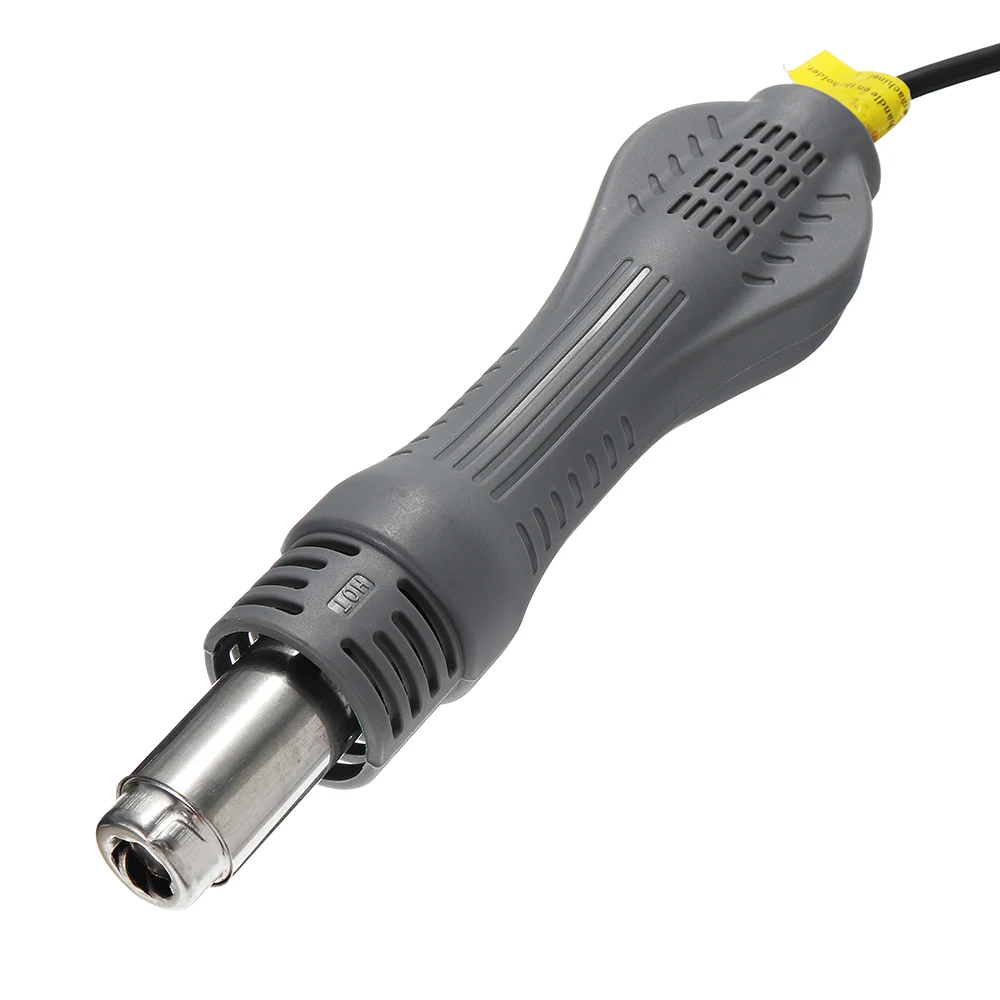
1 x Hot Air Gun with Station
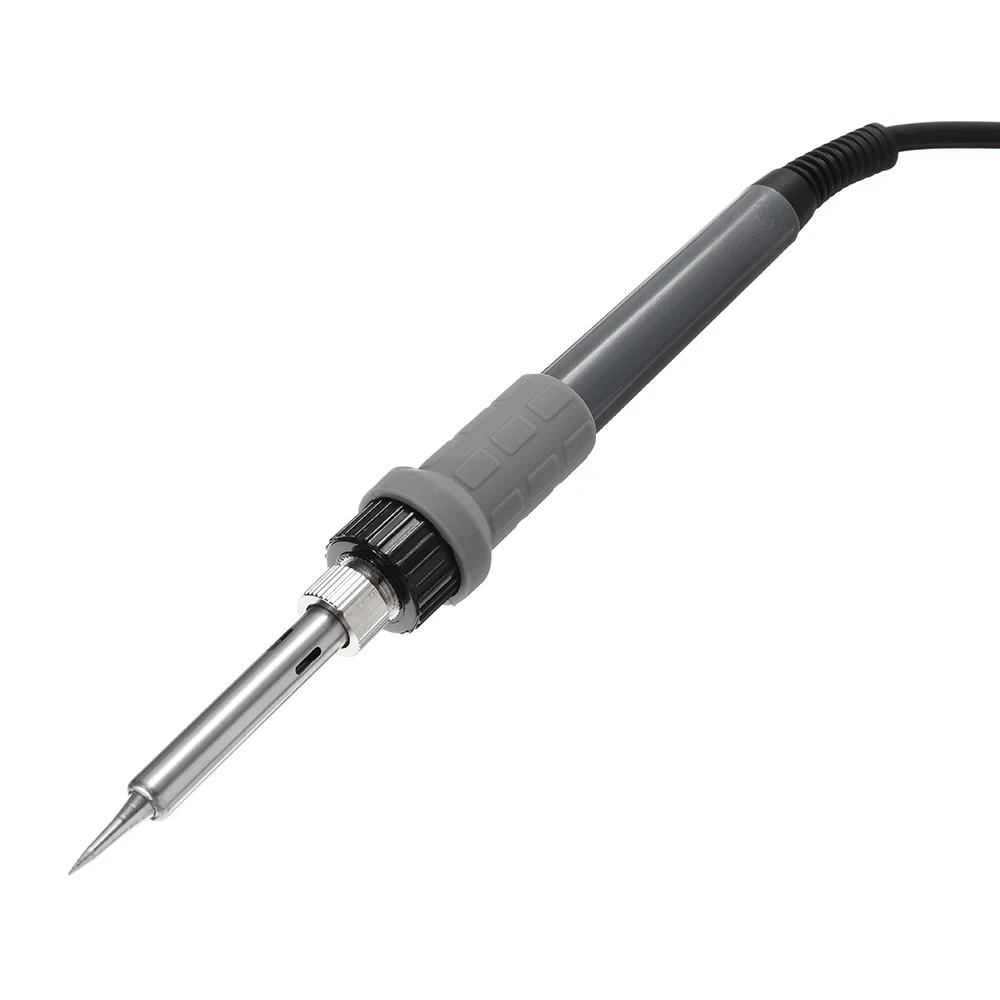
1 x Soldering Iron with Station
3 x Nozzle

{images}


Трекер стоимости
Отзывы покупателей
Новые отзывы о товарах

Евгения Викторовна Макотрина 21 Декабря 2021, 12:15 #
Удобный и функциональный чехол-книжка из высококачественноÐ ¹ эко-кожи надёжно защитит корпус Вашего смартфона, облада ющего высокой износостойкостью, морозоустойчивостÑ Œю, а также,... Читать отзыв полностью...

Мария 19 Декабря 2021, 00:51 #
Необычные заколки, они оживляют мой офисный образ. С волос не соскакивают, и закрепленные прядки держатся до вечера. Особенно красиво заколки... Читать отзыв полностью...

Светлана 23 Декабря 2021, 16:10 #
Заказывала костюм доченьке. Качество нам понравилось. Тонкий флисик присутствует. Любим свободный, поэтому заказывали на размер больше. Цена дешевле, чем в... Читать отзыв полностью...

Елена 23 Декабря 2021, 13:23 #
Очень крутые чехлы!!!Заказала сразу 4 штуки. Очень качественные и яркие. К телефону подошли идеально. Заказывала в подарок племяннице на день... Читать отзыв полностью...
Светлана 20 Декабря 2021, 10:53 #
Очень довольна покупкой. Продавец незамедлительно собрал заказ, отправил на следующий день. Быстрая доставка до РБ ( 2 НЕДЕЛИ). Пришло все... Читать отзыв полностью...
Мария 18 Декабря 2021, 17:31 #
Купила, чтобы носить на работу. Мне очень нравится - с одной стороны, строгий офисный фасон, а с другой - благодаря... Читать отзыв полностью...

Искала что-то такое цвета а-ля Барби. А тут еще и серебристая оторочка, и блейзер выглядит совсем гламурно. Подкладка с розами... Читать отзыв полностью...